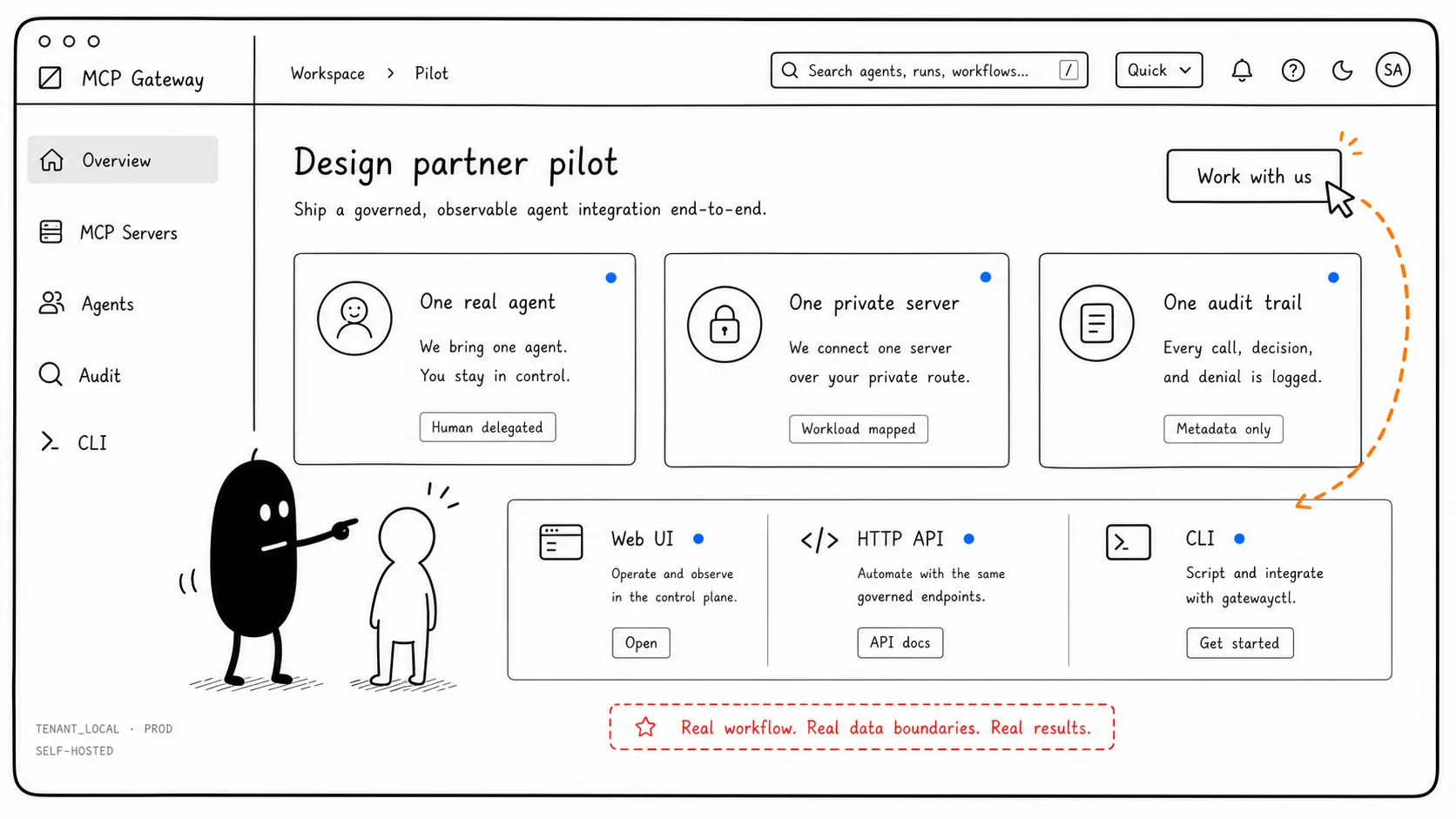
Start With Overview Posture
The operator starts from Overview to see health, pending approvals, denied calls, and active sessions.
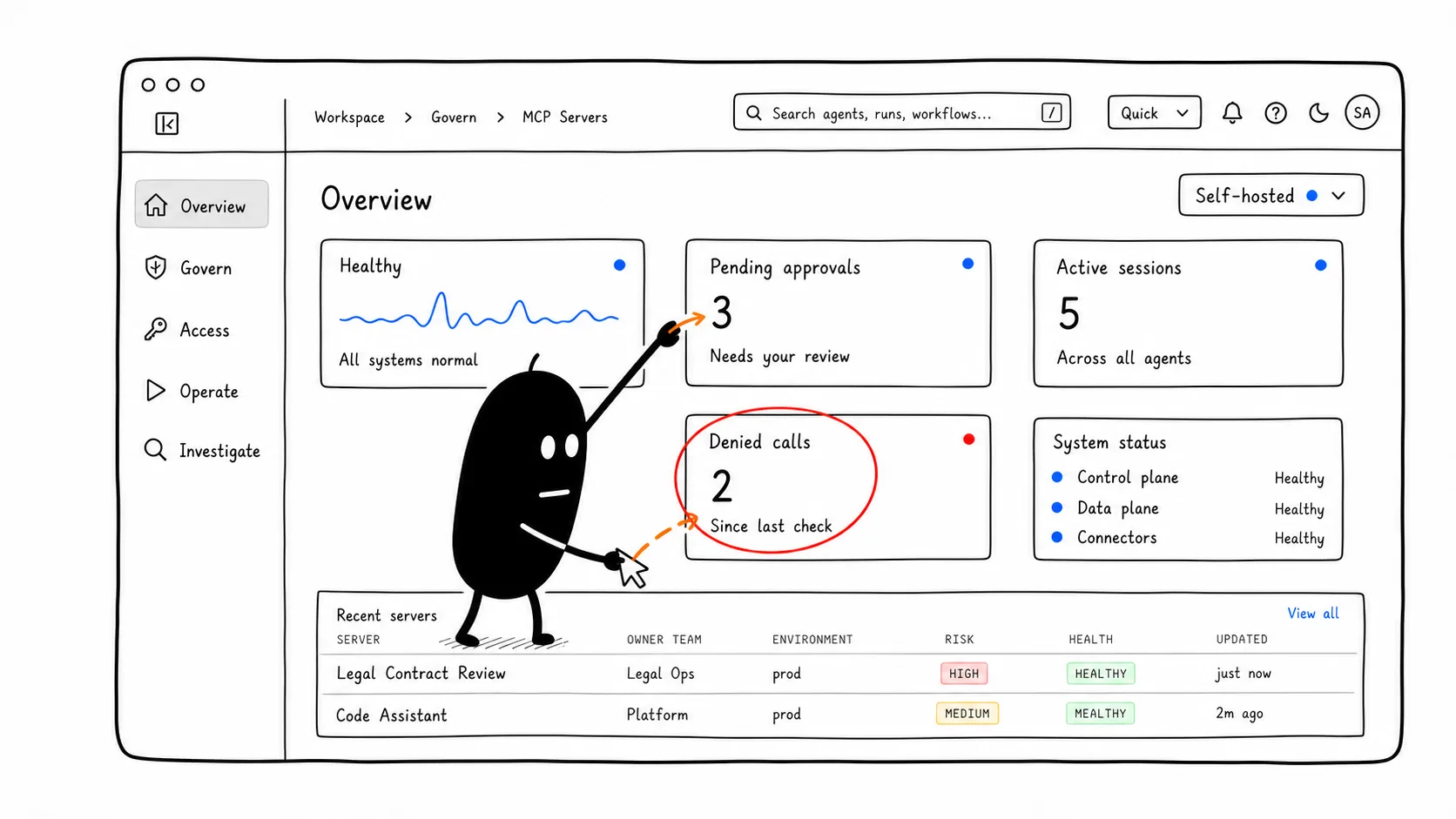
Why it mattersSecurity and platform teams need one place to decide what changed and what needs attention.
Prioritize The Approval Queue
Approvals show the pending change, risk level, owner, health, and action controls.
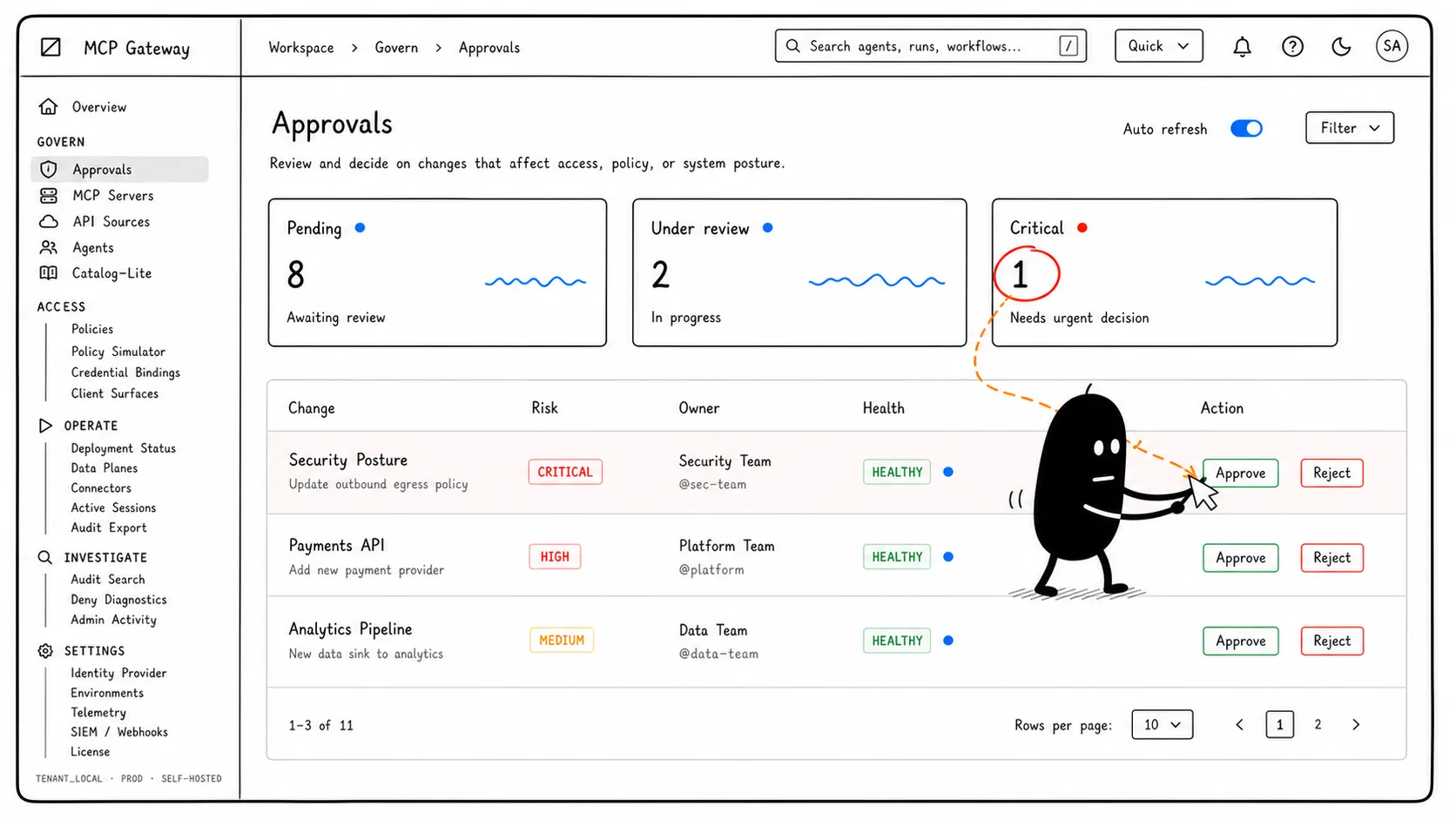
Why it mattersGovernance starts before a capability becomes broadly available.
Open The Server Detail
The Legal Contract Review server record carries owner, environment, risk, approval, health, and credential mode.
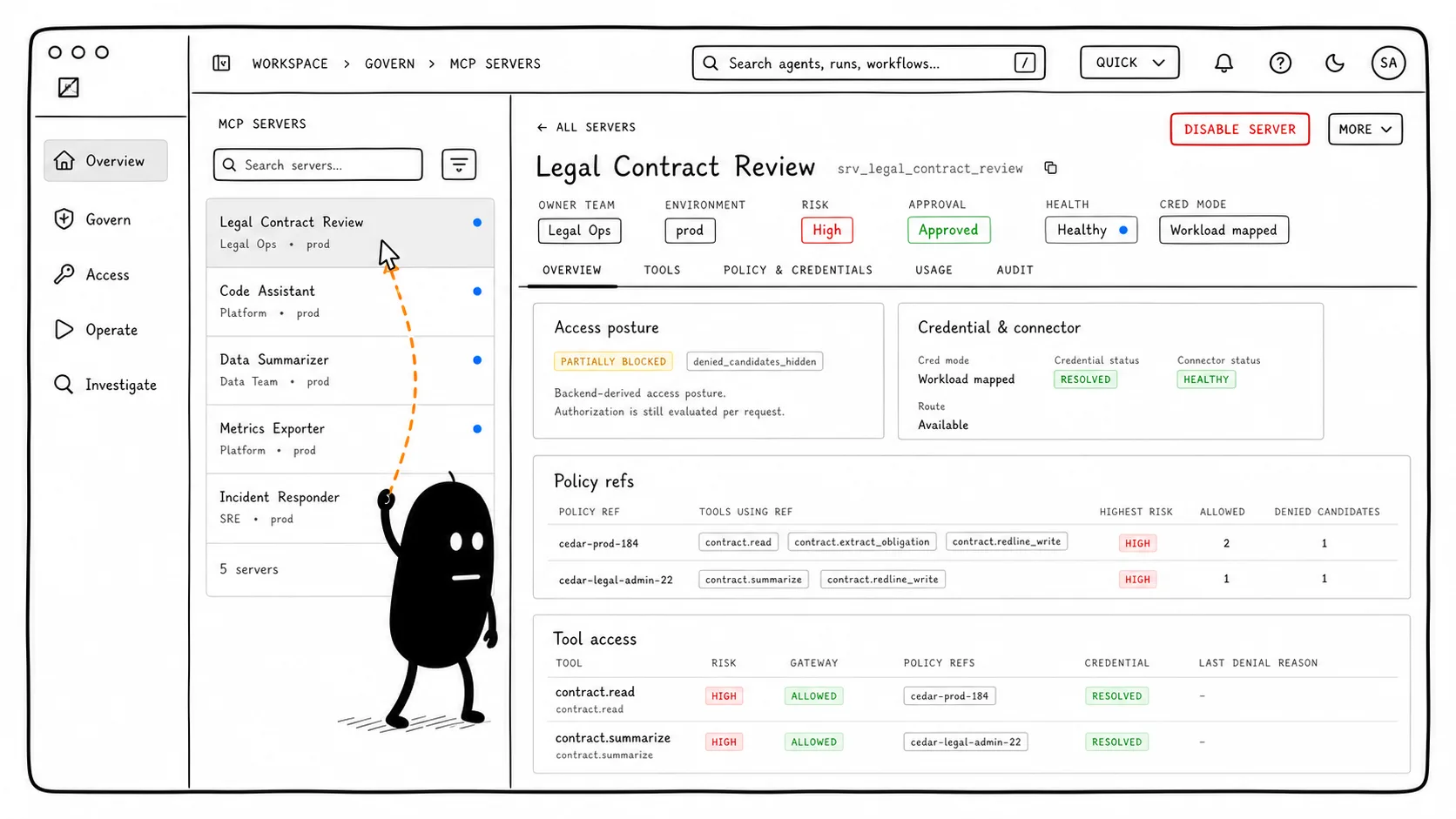
Why it mattersA governed MCP server needs an accountable record, not only an endpoint URL.
Inspect The Tools Tab
The Tools tab separates allowed tools from denied candidates like risky write operations.
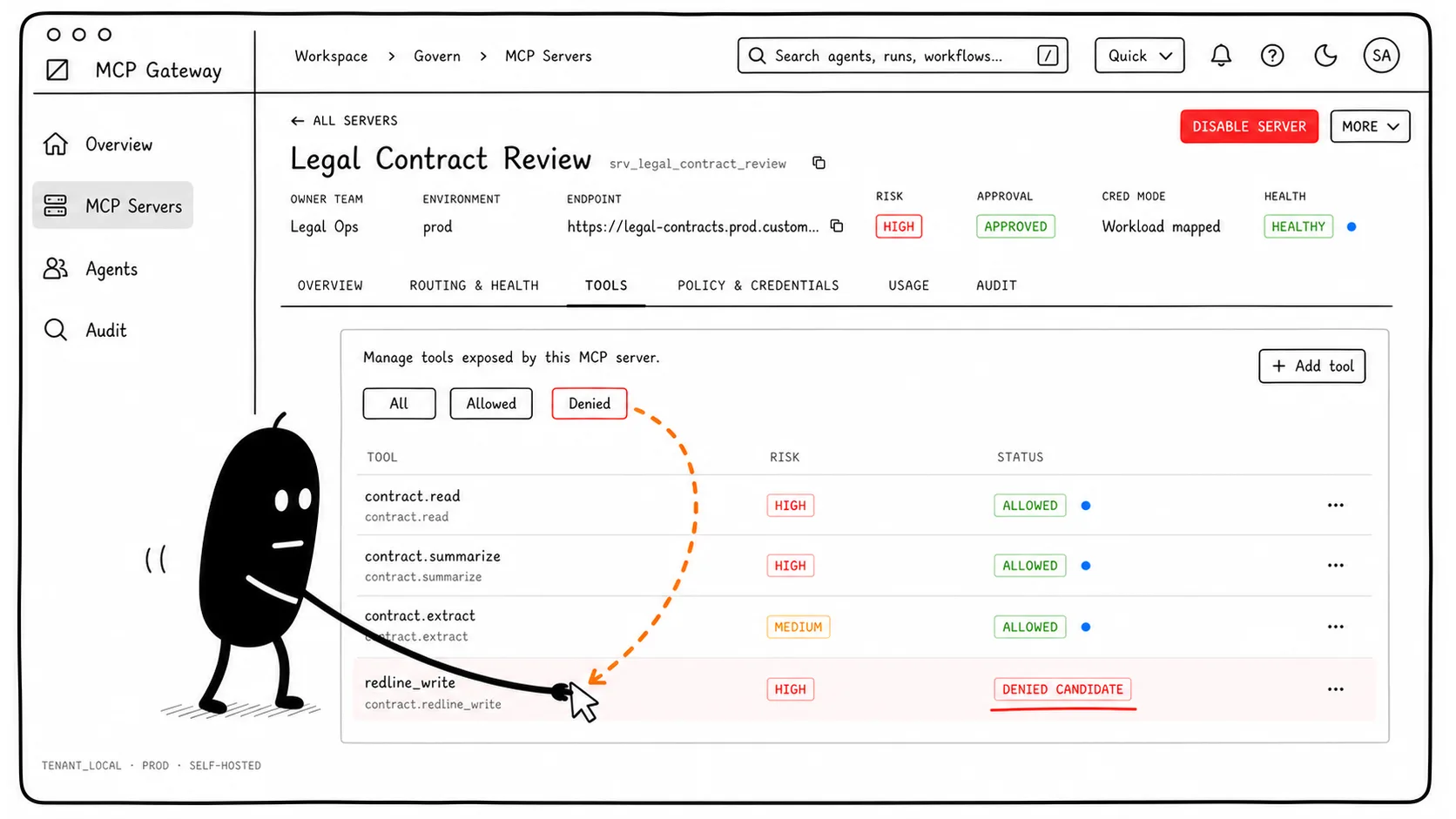
Why it mattersDiscovery should reflect policy decisions instead of advertising every capability first.
Explain Policy And Credentials
Policy refs, credential binding, connector status, and tool access explain why the posture is partially blocked.
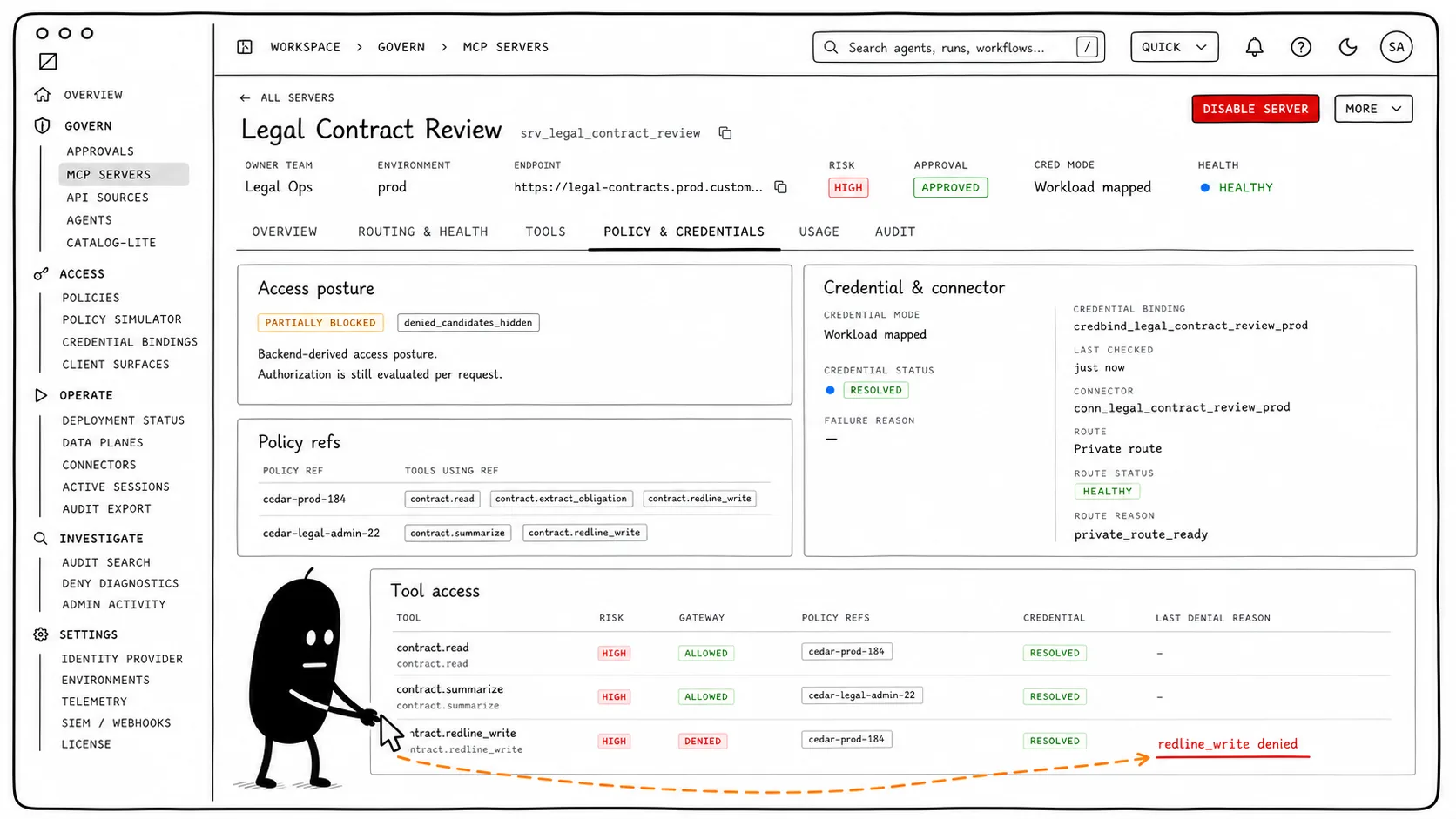
Why it mattersAdmins need to understand the decision path without exposing secret values or payloads.
Watch Usage Pressure
Usage shows success rate, deny rate, latency, top consumers, and failure hotspots.
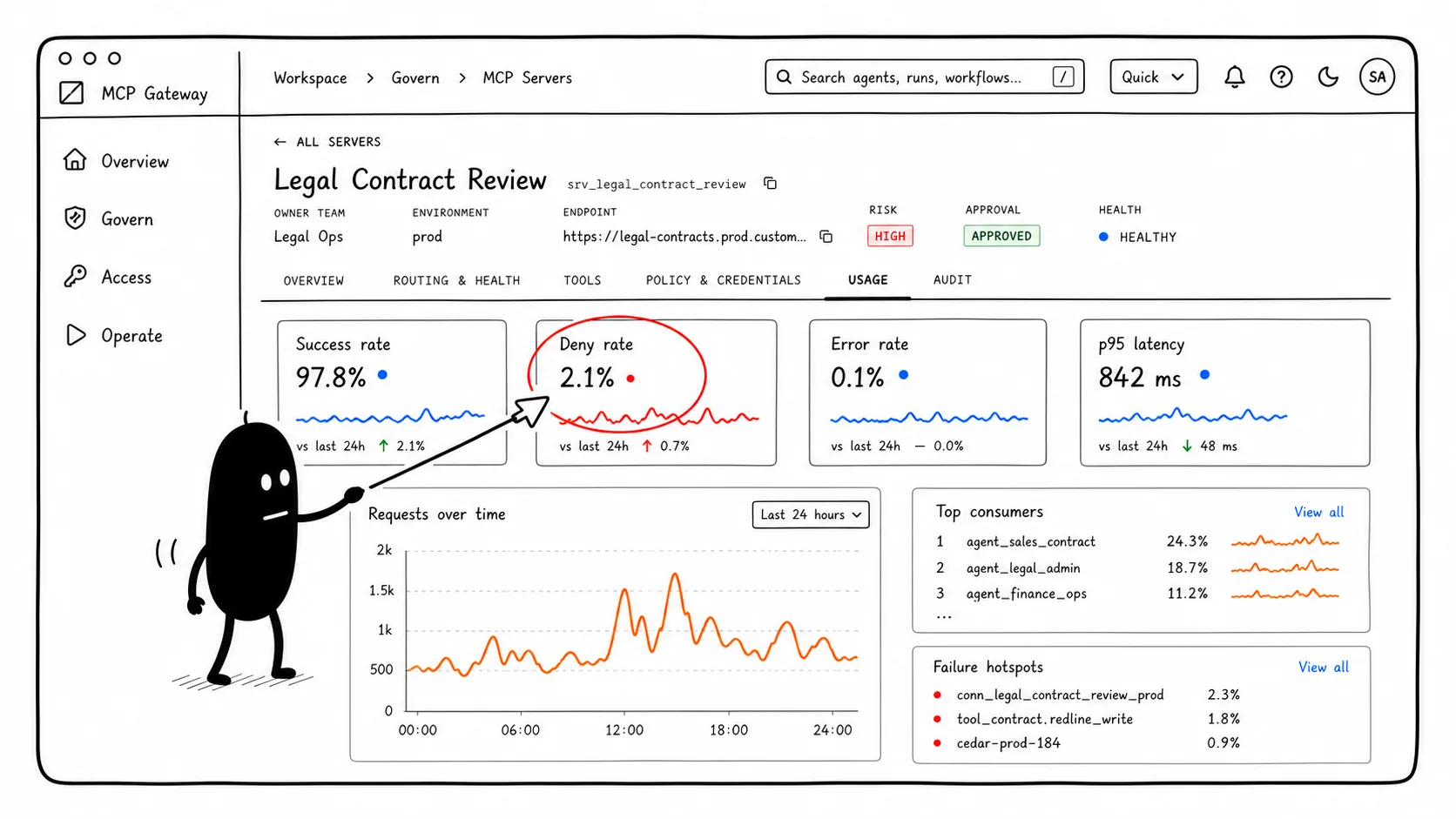
Why it mattersOperational context helps teams distinguish normal friction from a pattern worth investigating.
Check Agent Context
The Sales Contract Copilot record shows approved surfaces, delegation, credential mode, and recent denies.
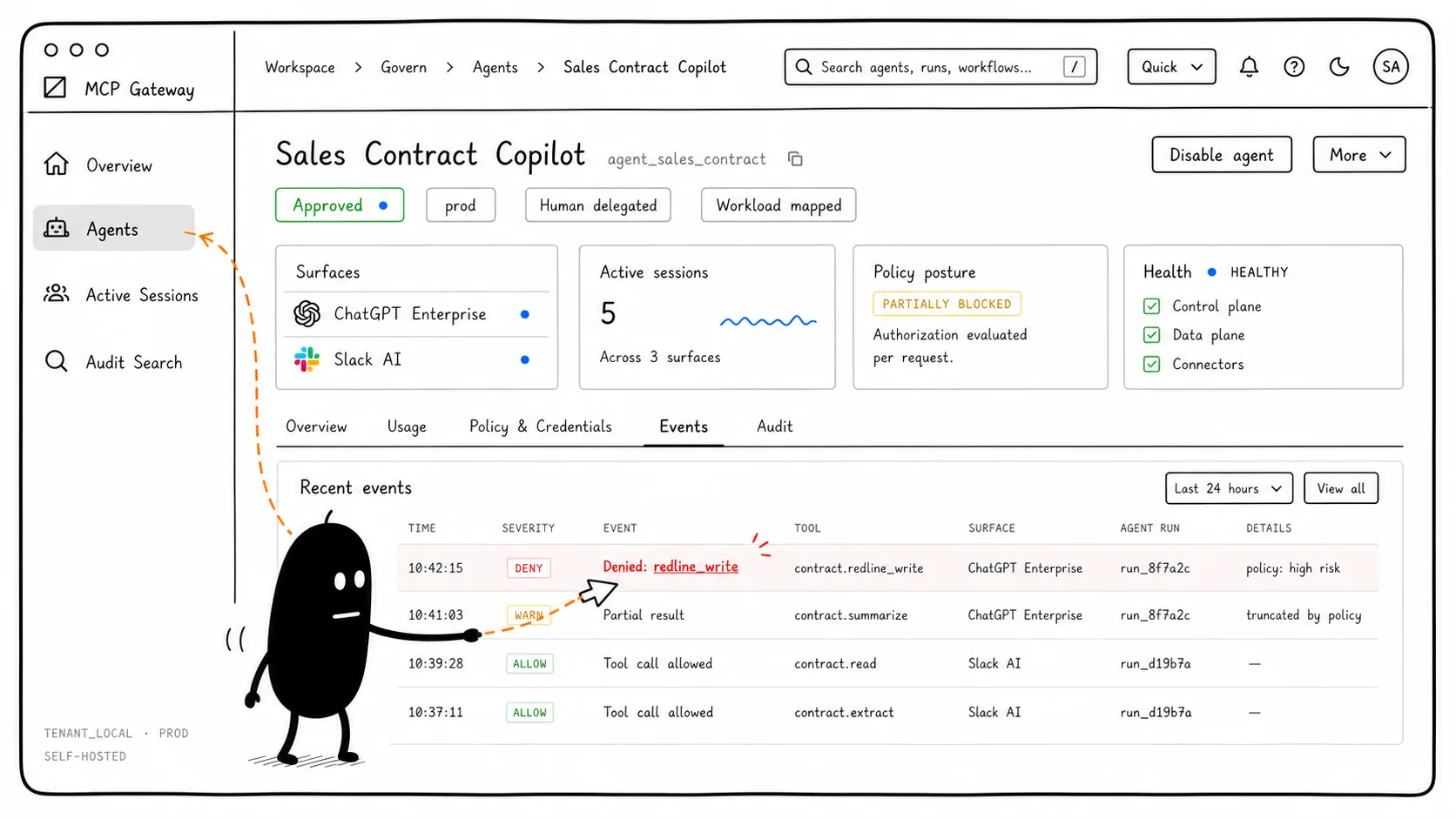
Why it mattersThe same tool action can mean different things depending on agent, surface, environment, and authority.
Investigate The Event Log
The event log narrows by tool, agent, session, and outcome to find the denied call.
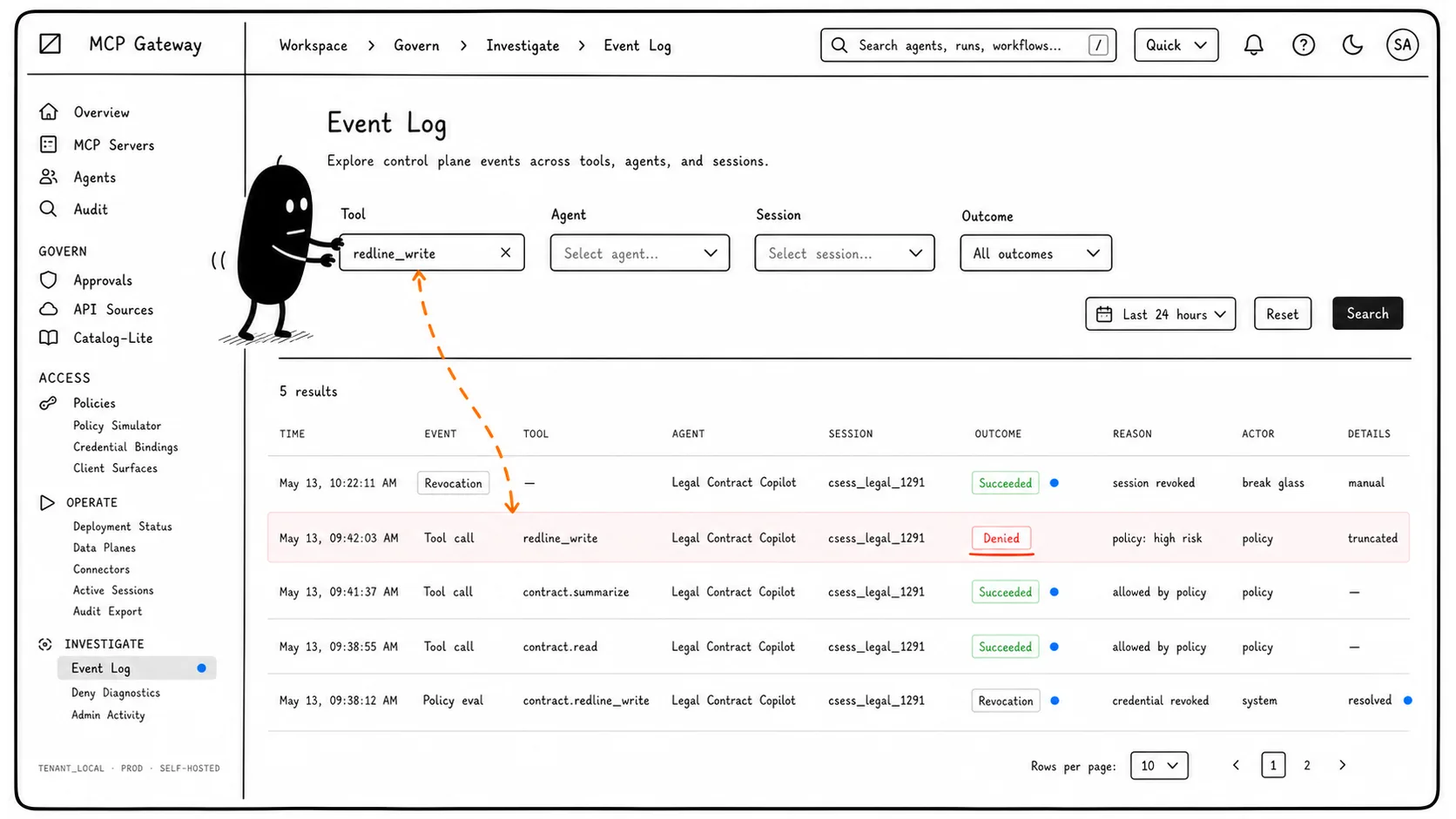
Why it mattersA risky event should be searchable by the identifiers operators actually have during triage.
Review Active Sessions
Active Sessions shows live, reconnecting, draining, and revoked sessions in the current scope.
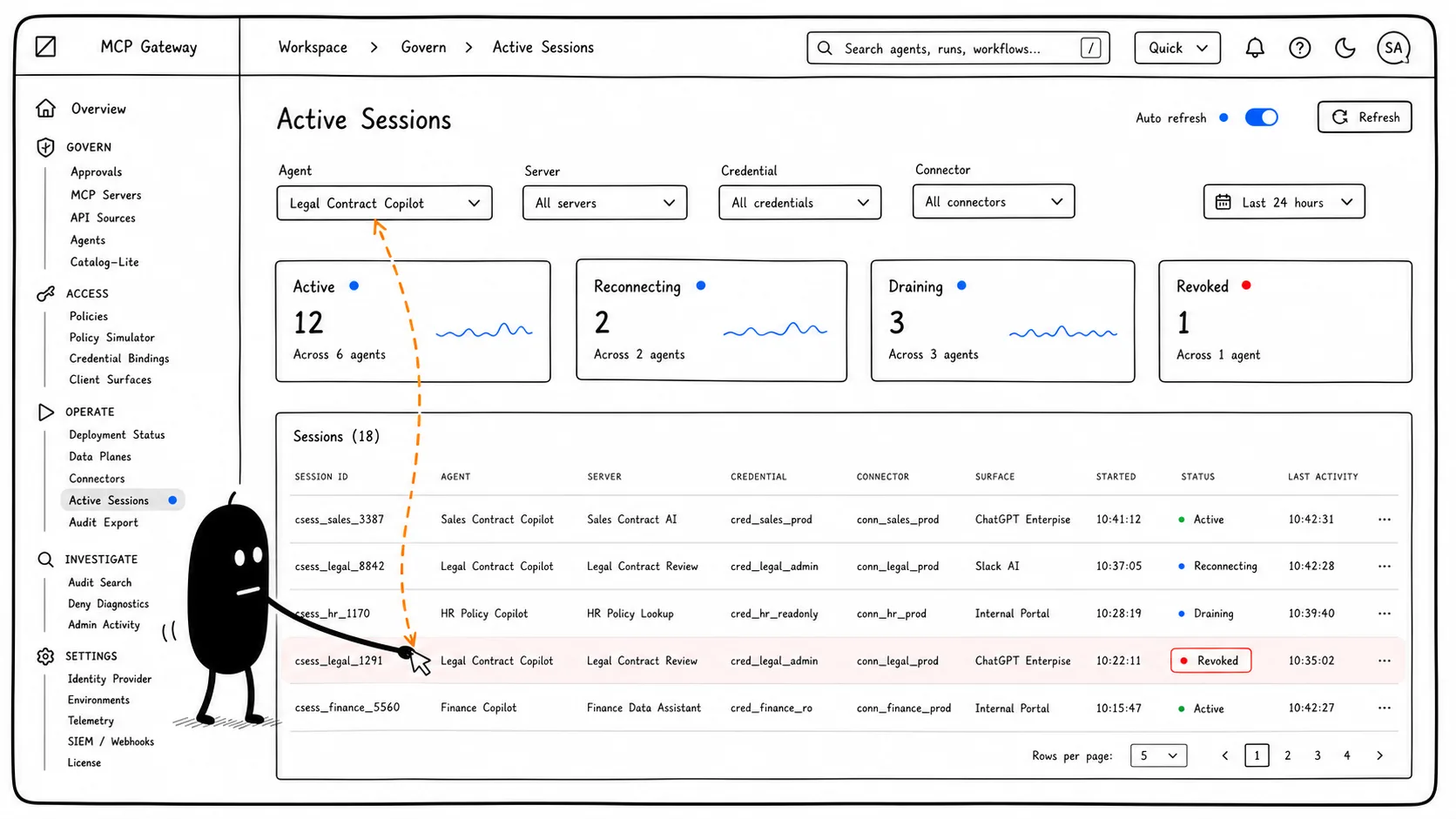
Why it mattersRevoking future access is not enough if active sessions can keep running.
Record Revocation Result
A revocation action produces a result, affected session state, and audit evidence.
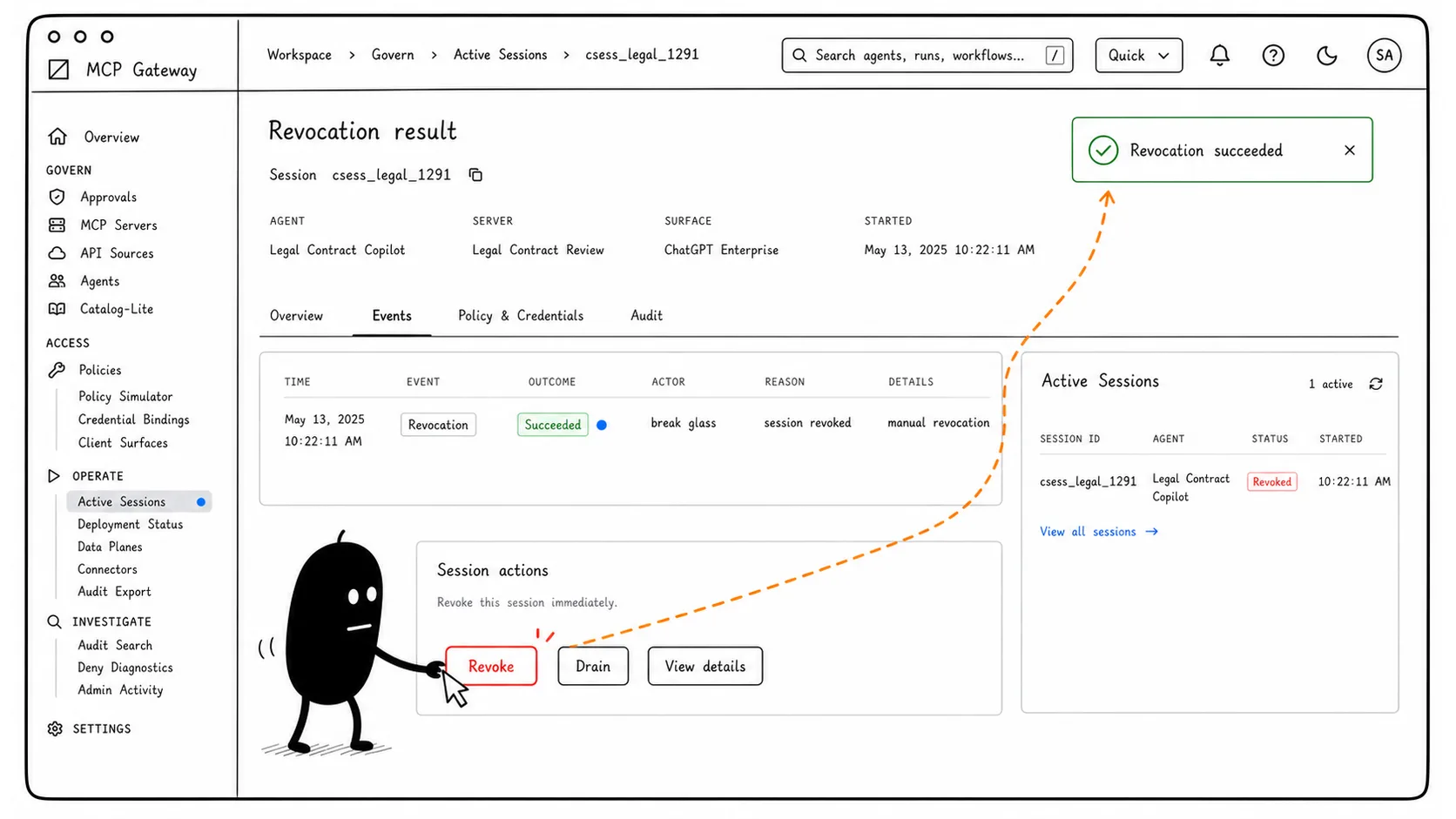
Why it mattersStop controls need a reviewable trail, not just a button press.
Use The API-First Control Plane
The same control-plane objects are available through HTTP API endpoints and JSON responses.
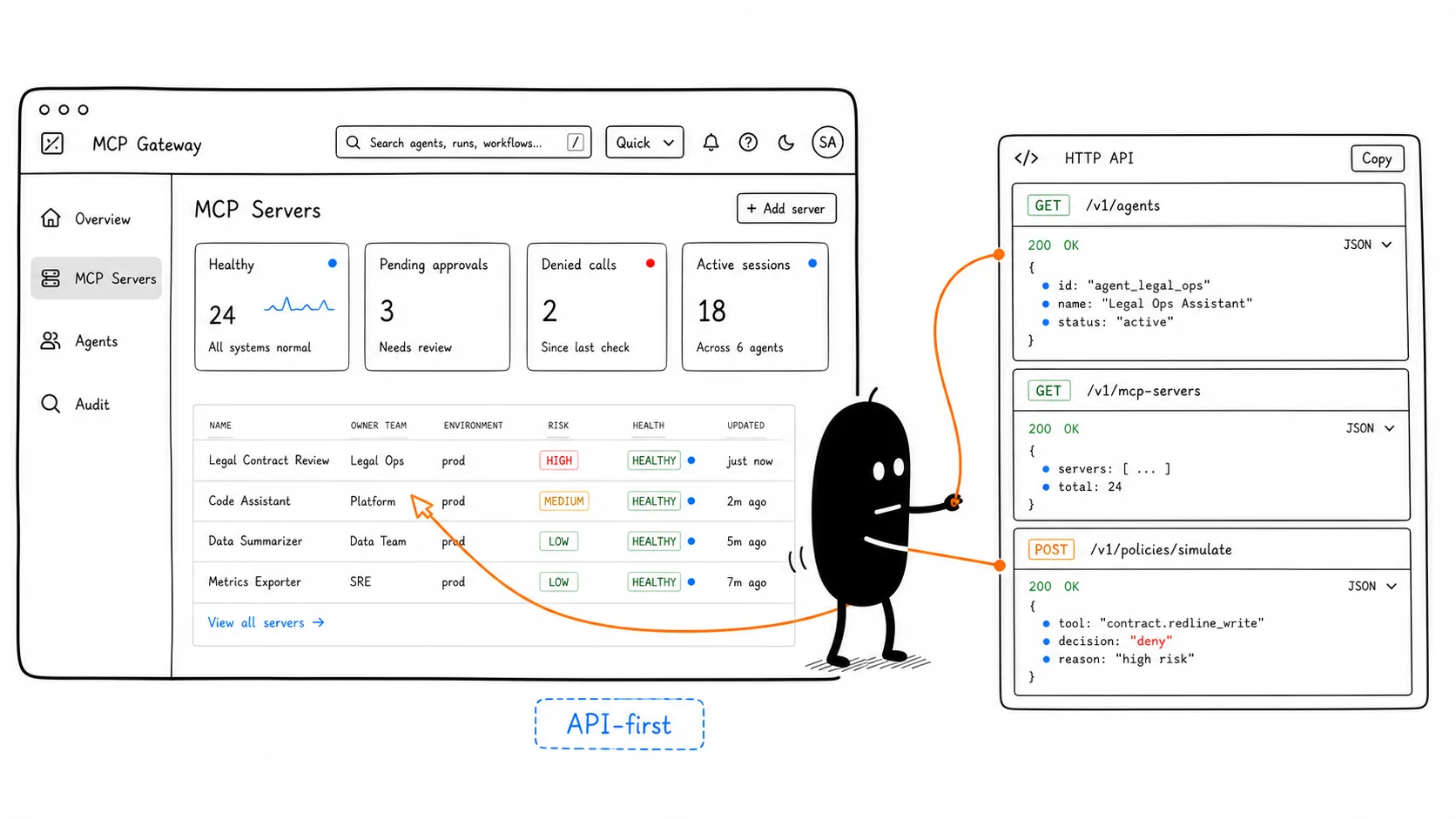
Why it mattersEnterprise teams need automation and integration paths, not only a console.
Operate From The CLI
The CLI gives operators scripted access to list agents, search audit events, and revoke sessions.
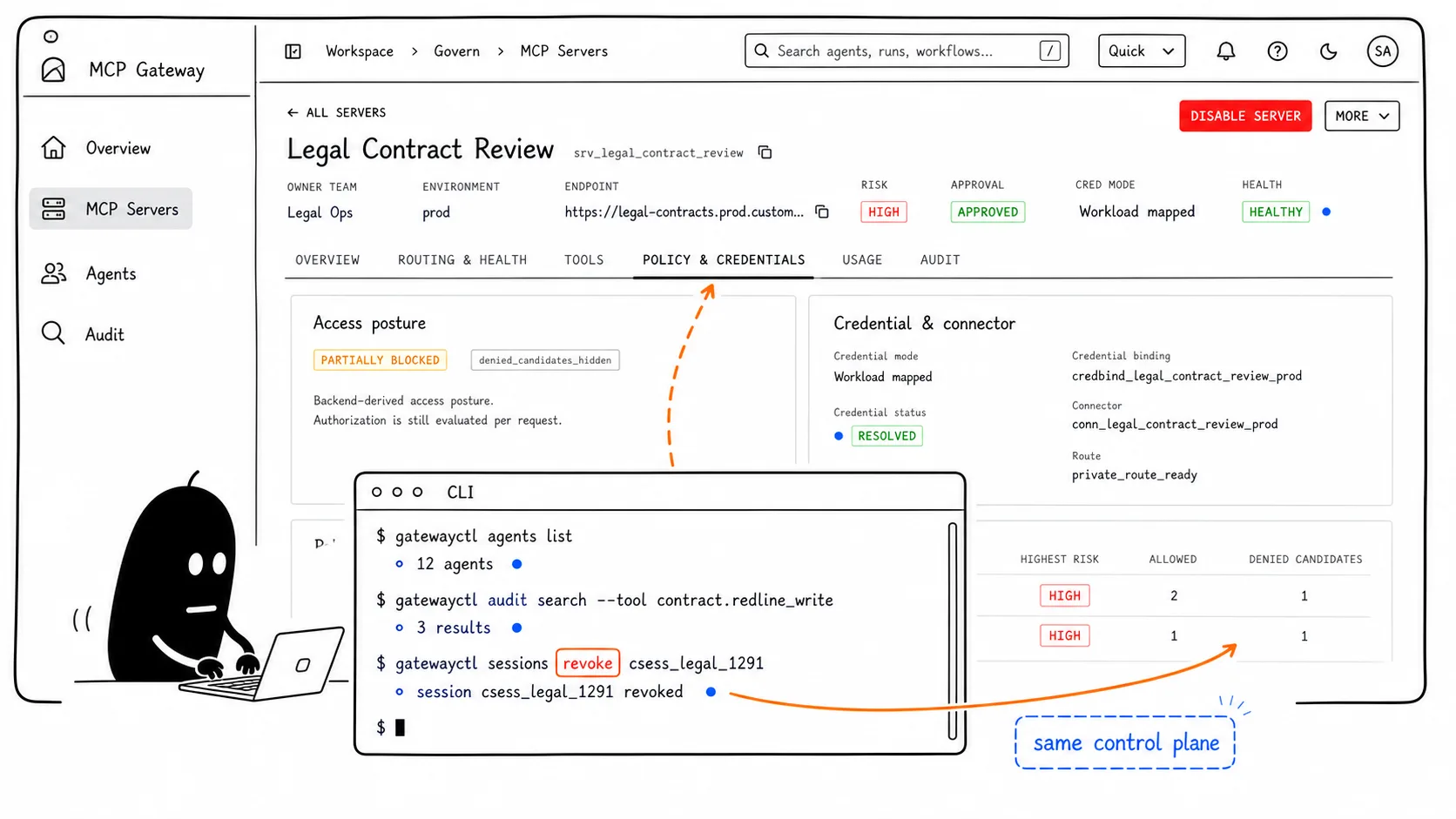
Why it mattersReal operations happen across UI workflows, runbooks, scripts, and incident channels.
Operate & triage
Run the control-plane loop on your own stack
We are looking for teams who want to work closely with us on governed MCP control-plane adoption.
Start with one real workflow: one agent, one private MCP server or selected API-backed tool, one policy path, one credential binding, one audit trail, and one operator loop across UI, API, and CLI.
The goal is to prove that MCP governance can be visible, automatable, and stoppable before it expands across teams.
Book a walkthrough